Email Verification is Required for Anonymous Web Requests
Effective March 24, 2026, we will begin rolling out a new workflow that requires email verification for anonymous technical support requests submitted via this support portal. This change is designed to better protect customers, reduce spam, and ensure legitimate requests reach support teams efficiently.
What’s changing?
We are introducing a new web workflow to prevent spam and abusive technical support submissions. Anonymous (not signed‑in) users who submit requests through this web portal must verify their email address before an active ticket is created.
When an anonymous request is submitted:
- A suspended ticket is created.
- A verification email is sent to the email address provided.
- The ticket is labeled with a suspension cause of Anonymous requests.
The ticket remains suspended until:
- The requester clicks the verification link in the email (automatically recovering the ticket)
This verification step is not a sign‑in requirement. Users are not required to create an account; they only need to confirm ownership of their email address.
Where this applies
This workflow applies to anonymous requests submitted through:
- Web form
- Chat
Not impacted
This change does not apply to:
- Signed‑in end users
- Agents creating tickets
- Requests submitted via email
- Messaging channels
- API requests to /api/v2/tickets
- Tickets created from phone calls
Why we are making this change
Spam attacks are increasing in both volume and sophistication. Anonymous submission paths have been exploited to generate large volumes of unwanted tickets and outbound notifications.
Email verification confirms that the requester owns the email address provided, ensures they can receive ticket updates, and adds friction against automated or abusive submissions. This helps protect agent productivity and improves the experience for legitimate end users.
Frequently asked questions
What does the verification email look like?
The existing verification email template is used and supports dynamic content. It includes a one‑time link that expires once clicked or when the ticket is recovered.
Subject: Please verify your email address
Message: We need to verify that you are the owner of this email address. Please follow the link below to verify.
What is the end-user experience like for the web form?
- Click Submit a request without being signed in.
- Fill out the form and click Submit.
A notification appears, communicating that the request has not yet been submitted. A verification email is also sent.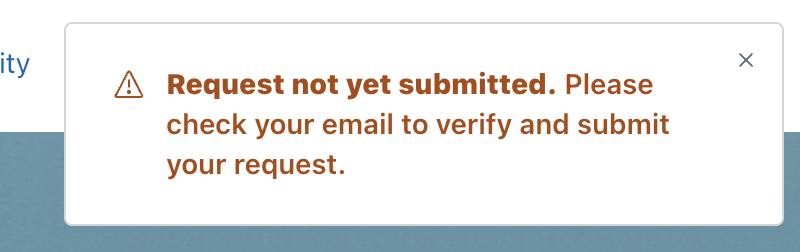
- Click the one-time link in the verification email.
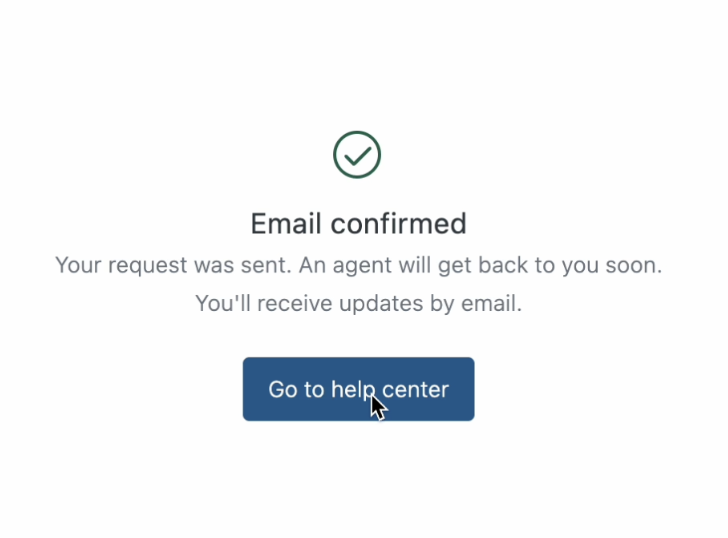
A landing page with a success message appears.